
Claiming A Shift On Your Phone
The Point app makes signing up to help a breeze!
When you log into your account, the app immediately lists upcoming opportunities. You can swipe up to scroll through all of the future dates we have listed so far.
Each listing has the date and start time on the image, the date and a description below the image, the address (which will usually be the museum’s address), and at the bottom right corner of each listing you can see how many shifts are still open. The number of total shifts available will vary based on need.
When you have found a day you want to sign up for, press on the image.
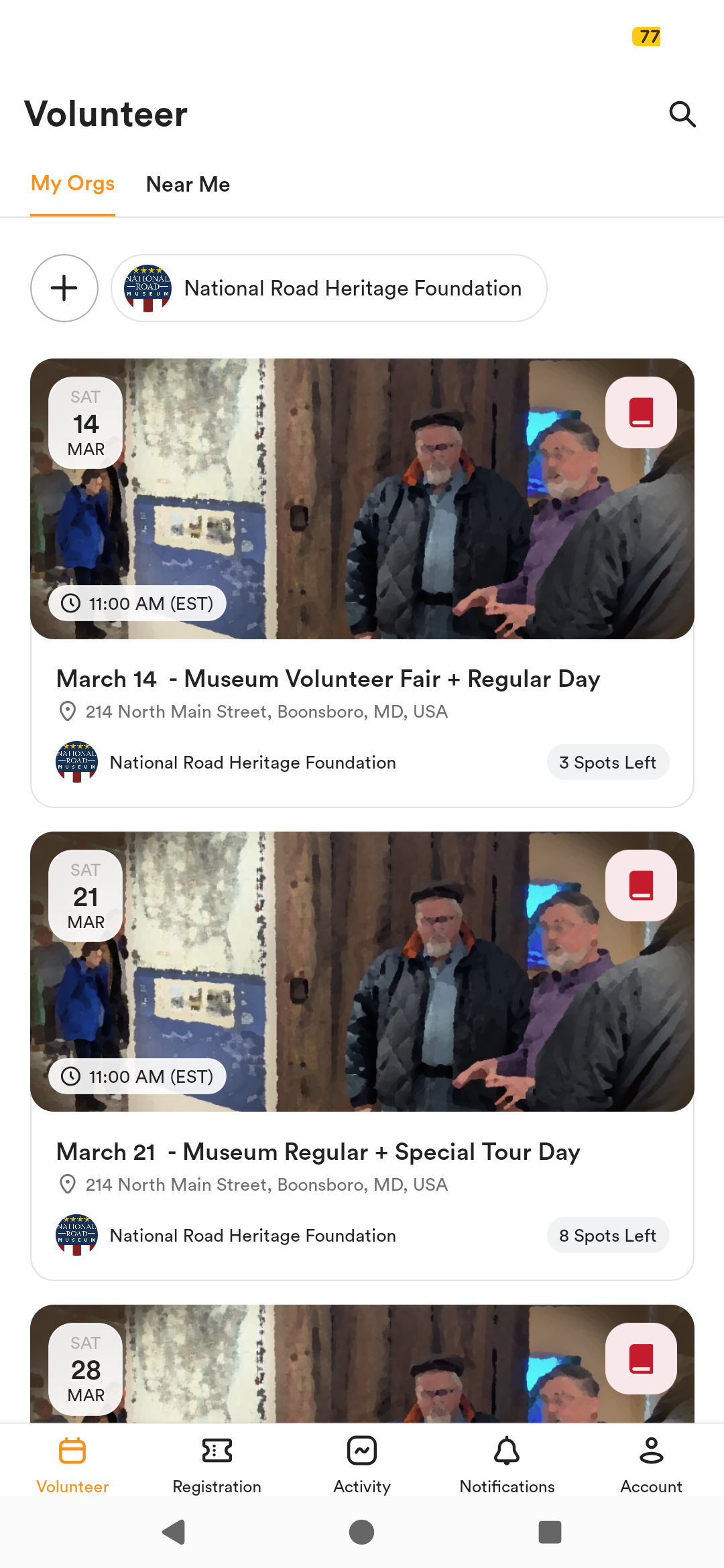
Pressing on a date will open up more information about that event. There will be generic descriptions, but sometimes important notes will be added here as well. You can scroll down and see the shifts that are still available, and even the initials of volunteers who have already signed up.
When you are sure you want to sign up for this day, press the orange “Go” button near the bottom.

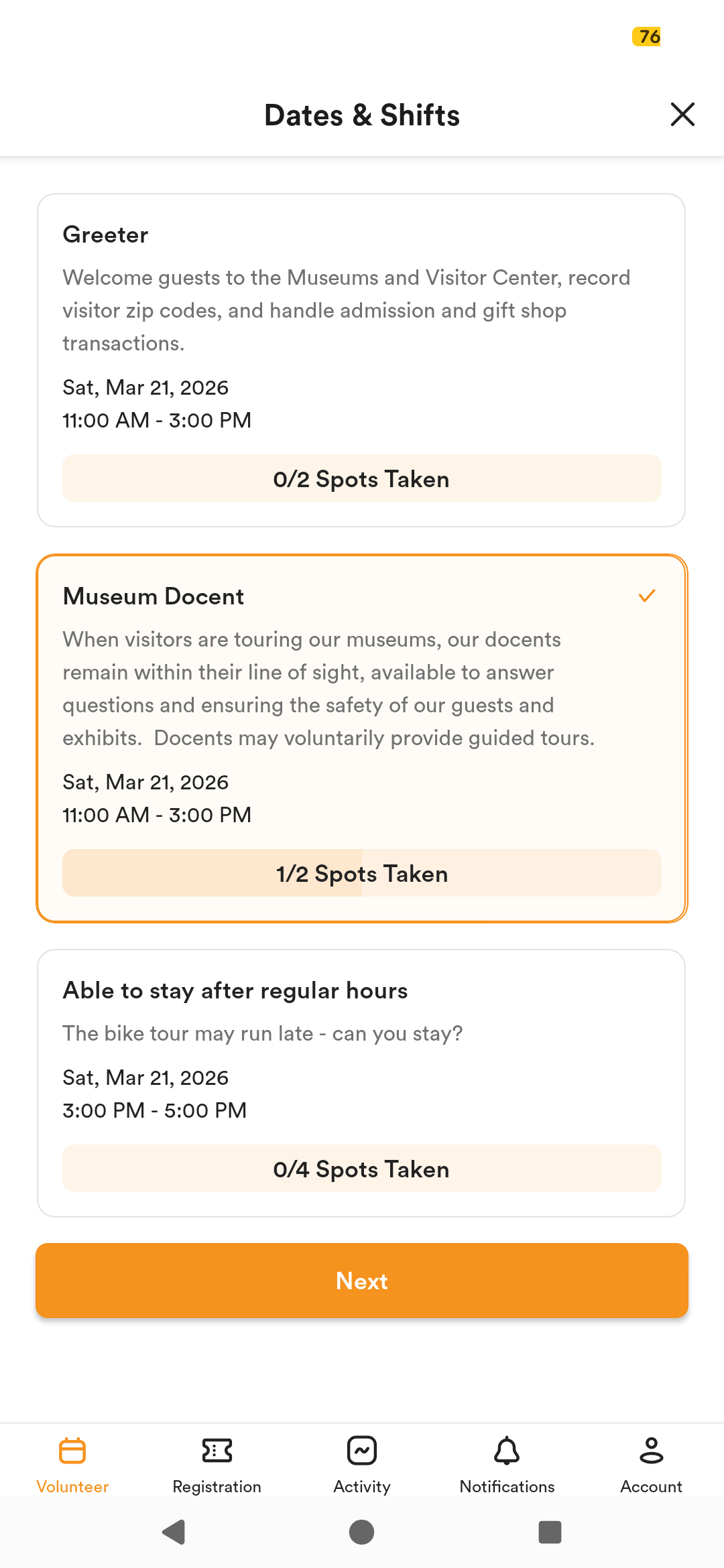
The following screen will list the available shifts. Sometimes you will have to swipe up to see them all. Press on one to select it. You can select multiple shifts at the same time. Once you have selected the shift(s) you want, press the orange “Next” button near the bottom.
The final page is a confirmation page, just to make sure you understand that you are agreeing to show up that day. If you don’t show up or cancel last minute too often, we may restrict your ability to sign up as often.
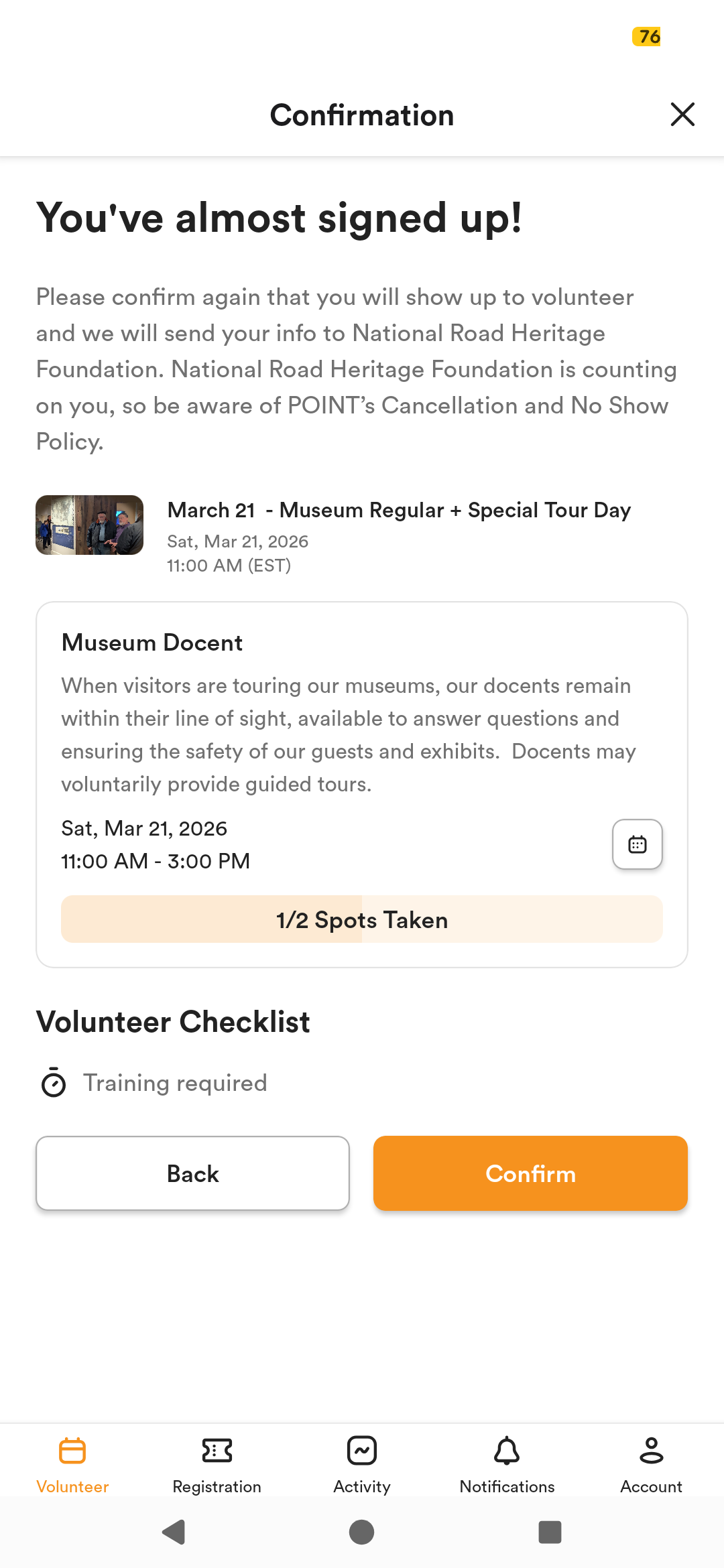
After you press Confirm, you’re on the schedule! The app will ask you if you want to sign up for another date or be notified of your scheduled date by email.